Does Mind Mapping Work?
- swarbhanu77
- Apr 7, 2023
- 4 min read
Updated: Apr 15, 2023
Mind mapping is a visual brainstorming technique that allows you to organize your thoughts and ideas in a hierarchical and interconnected way. The mind map can be used for a variety of purposes, including project planning, note-taking, problem-solving, and creative thinking.
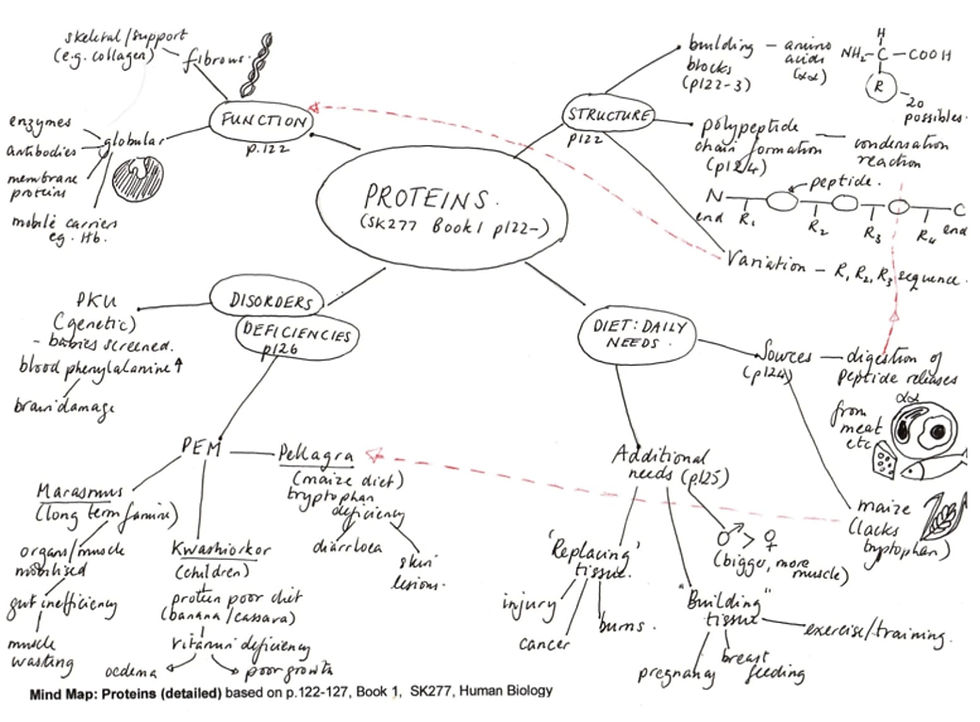
In this article, we'll explore the benefits of mind mapping and how to create effective mind maps. We'll also take a look at The Toot App's mind map tool and how it can help you streamline your mind mapping process.
Benefits of Mind Mapping
1. Improved Memory and Recall
Mind maps use visual and spatial elements to help you remember information more effectively. By creating a visual representation of your ideas, you engage both the left and right sides of your brain, which can enhance your memory and recall.
2. Enhanced Creativity and Problem-Solving
Mind maps encourage non-linear thinking and creativity by allowing you to explore multiple ideas and connections at once. This can help you generate new ideas, solve problems, and come up with innovative solutions.
3. Efficient Information Processing
Mind maps allow you to organize complex information in a structured and streamlined way, making it easier to process and understand. This can help you make better decisions, plan more effectively, and communicate ideas more clearly.
How to Create Effective Mind Maps
1.. Start with a Central Idea
The first step in creating a mind map is to start with a central idea. This could be a topic, question, or problem that you want to explore.
2. Add Branches
Once you have your central idea, add branches to your mind map to represent related concepts or ideas. Each branch should contain a single idea or concept, and should be connected to the central idea by a line.
3. Use Keywords and Images
Use keywords and images to represent each idea or concept in your mind map. This will make your mind map more visually appealing and memorable.
4. Connect Ideas
Use lines or arrows to connect related ideas in your mind map. This will help you see the relationships between different concepts and ideas.
5. Use Colors and Symbols
Use colors and symbols to differentiate between different types of ideas or concepts in your mind map. This will make it easier to see patterns and connections.
Mind Mapping Examples
Here are some examples of how you can use mind mapping in different contexts:
1. Project Planning
When planning a project, use a mind map to organize your ideas and identify key tasks and milestones. You can also use a mind map to assign tasks to team members and track progress.
1. Note-Taking
When taking notes, use a mind map to organize your ideas and concepts in a way that is easy to review and remember. You can also use a mind map to connect related ideas and identify patterns and relationships.
2. Problem-Solving
When solving a problem, use a mind map to explore multiple solutions and identify potential roadblocks and challenges. You can also use a mind map to map out different scenarios and their potential outcomes.
The Toot App's Mind Map Tool
The Toot App is a powerful online brainstorming tool that includes a mind map feature to help you streamline your mind mapping process. With The Toot App's mind map tool, you can create, organize, and share your mind maps with ease.
Here are some ways in which The Toot App's mind map tool can help you:
1. Easy to Use Interface
The Toot App's mind map tool has a user-friendly interface that makes it easy to create and edit mind maps. You can add nodes and branches, move them around, and connect them with ease.
2. Collaborative Features
The Toot App's mind map tool allows you to collaborate with others in real-time, making it a great tool for group brainstorming sessions. You can invite team members to join your mind map, and work together to develop ideas and solutions.
3. Multiple Layout Options
The Toot App's mind map tool offers multiple layout options, including horizontal, vertical, and radial layouts, allowing you to choose the layout that best suits your needs.
4. Integration with Other Tools
The Toot App's mind map tool integrates with other tools, such as the app's sticky notes board and whiteboard, making it easy to switch between different brainstorming techniques.
Example of a Mind Map Created with The Toot App:
Here's an example of a mind map created with The Toot App's mind map tool. This mind map explores different strategies to fix a toxic culture:
Conclusion
Mind mapping is a powerful brainstorming technique that can help you organize your thoughts, generate new ideas, and solve complex problems.
By following the tips and examples outlined in this article, you can create effective mind maps that enhance your creativity, memory, and decision-making skills.
And by using The Toot App's mind map tool, you can take your mind mapping to the next level, with its user-friendly interface, collaborative features, and multiple layout options.
So why not give it a try and see how The Toot App can help you unleash your creativity and boost your productivity today?
The Toot App is offering a discount currently and at roughly the price of a cup of coffee you can have a month's subscription with 5 brainstorming techniques such as the Whiteboard, Mind Map, Sticky Notes board, Calendar Planner and Work Table with their full functionality.


Comments